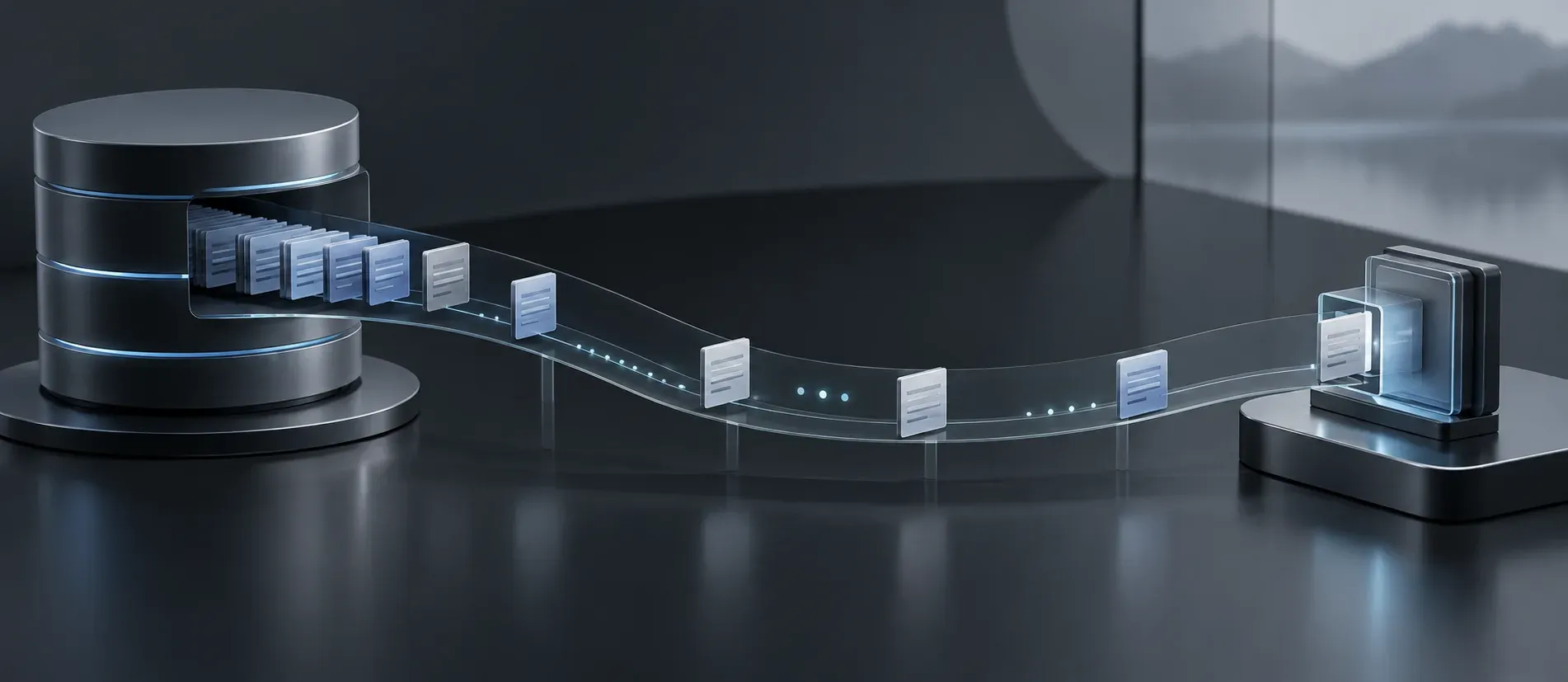
Suppose a database query returns ten thousand movies. The application can read each row asynchronously, yet still make its caller wait until it has assembled all ten thousand into a list. It has solved the thread-waiting problem but has kept the all-at-once result. C# 8 async streams let the caller receive one movie, work with it, and then wait for the next. The producer can await the database between items.
I will compare two methods over the same database query: one returns a completed collection, and one yields rows as an asynchronous sequence. Their difference is small in code and substantial in what the caller can do. If the thread-waiting side of this is unfamiliar, Async-Await in C# develops that part first.
Two abilities that used to live apart
A regular iterator lets a caller ask for one item at a time. In C#, IEnumerable<T> and foreach provide that contract. An iterator method can use yield return so its local state survives between requests for the next item:
static IEnumerable<int> CountToThree()
{
    yield return 1;
    yield return 2;
    yield return 3;
}
Calling CountToThree() gives the caller a sequence. Each move of a foreach loop runs the iterator as far as the next yield return. If the caller stops after the first number, the method need not produce the other two. The consumer controls the pace. That is the Iterator pattern in the language, rather than a collection pushed to the consumer all at once.
An asynchronous method solves a different problem. It can await a database call without keeping the caller’s thread blocked throughout the wait. A method returning Task<IReadOnlyList<Movie>> can read each database row with ReadAsync(). Yet the task gives its caller a list only after the method has finished reading and mapping every row. The caller cannot use the first movie while the method is still reading the last.
| Contract | What the caller receives | How it waits for the next item |
|---|---|---|
IEnumerable<Movie> |
An incrementally consumed sequence | foreach calls the synchronous iterator. |
Task<IReadOnlyList<Movie>> |
One completed list after the task finishes | The method may await internally, but the caller gets the list at the end. |
IAsyncEnumerable<Movie> |
An incrementally consumed asynchronous sequence | await foreach may await each move to the next item. |
The third contract combines a pull-based iterator with asynchronous waits. Neither IEnumerable<T> alone nor a task containing a completed list expresses both parts.
When an earlier result matters
Imagine that each database row is available at a different time. With the buffered method, the application reads and stores every row before returning anything to its caller. With an async stream, the caller can process row one while the producer has yet to request row two. A consumer that needs only the first few results can stop early, avoiding the rest of the enumeration.
That can reduce time to the first useful item and the memory needed for a full list. It need not reduce the time required to read all the rows. There is still work to open a connection, execute the command, transfer data, and map records. Asynchronous I/O can release an application thread during waits; streaming changes when items become available to the consumer. Those are separate benefits.
Data may arrive across a network in bursts. If ten rows are ready and the eleventh is delayed, I would rather let the consumer work with the ten than hold them all until the query ends. Transport packets are not themselves movie rows, though. A database provider may buffer rows, and a web framework or proxy may buffer output before a browser sees it. IAsyncEnumerable<T> gives the application an incremental contract between producer and consumer; early delivery beyond that boundary depends on the rest of the path. If the objective is a responsive UI, verify when the UI actually receives and displays the first item.
What C# 8 added
An async iterator is a method marked async that returns IAsyncEnumerable<T> and uses yield return. It may also use await before or between yields. That combination is the center of the feature:
static async IAsyncEnumerable<int> DelayedNumbers()
{
    yield return 1;
    await Task.Delay(100);
    yield return 2;
}
The first request for an item yields 1. The next request reaches Task.Delay, which may suspend the iterator without blocking a thread. When the delay completes, the iterator resumes and yields 2. In a database example, an awaited ReadAsync() replaces that artificial delay.
Both ordinary iterators and async methods are lowered by the compiler into state machines. The async iterator must preserve its place across a yield and across an incomplete await. We had both mechanisms before C# 8, and my explanation for why their combination took longer is a conjecture: coordinating both suspension points in one generated implementation is harder than generating either separately. I cannot claim to know the language team’s historical reason. For the code we write now, the useful fact is that one async iterator can contain both await and yield return.
An async stream has more than new syntax. IAsyncEnumerable<T> supplies an async enumerator. IAsyncEnumerator<T>.MoveNextAsync() returns a ValueTask<bool> indicating whether another item is available, and its Current property holds that item. The enumerator also implements IAsyncDisposable, so a consumer can release resources when iteration ends. await foreach writes that protocol for us, much as foreach handles an ordinary enumerator. Microsoft’s async-stream guide describes the interfaces and their language support.
Read database rows without collecting them all
I use a movie database to compare the two paths. Both open a connection asynchronously, execute a command asynchronously, and read rows asynchronously. One stores each mapped row in a list; the other yields it. The sample project includes a SQL Server database, a GetAllMovies stored procedure, a data manager, and a BenchmarkDotNet program. It targets .NET Core 3.1 and can seed ten thousand movies for the comparison.
To run the linked project, publish its database to a SQL Server instance reachable by the connection string in MovieDataManager. The code names a LocalDB instance and the MovieDb catalog. Program.Main contains a commented InitializeDataInDatabase(10000) call and a note to make Main return Task while seeding. Seed once, then run the benchmark entry point over the populated database. An empty or unreachable database tells us nothing about the two approaches.
Here is the same comparison with a smaller Movie model and current database APIs. This is illustrative code rather than a copy of the linked project. The async-iterator syntax is C# 8; DbDataSource requires .NET 7 or later. Both methods assume a provider that implements the relevant asynchronous operations.
using System.Collections.Generic;
using System.Data.Common;
using System.Runtime.CompilerServices;
using System.Threading;
using System.Threading.Tasks;

public sealed class Movie
{
    public string Title { get; }
    public int Year { get; }

    public Movie(string title, int year)
    {
        Title = title;
        Year = year;
    }
}

public static class MovieQueries
{
    public static async Task<IReadOnlyList<Movie>> GetAllMoviesAsync(
        DbDataSource source,
        CancellationToken cancellationToken)
    {
        await using DbConnection connection =
            await source.OpenConnectionAsync(cancellationToken);
        await using DbCommand command = connection.CreateCommand();
        command.CommandText = "SELECT Title, Year FROM dbo.MovieVw ORDER BY Title";

        await using DbDataReader reader =
            await command.ExecuteReaderAsync(cancellationToken);

        var movies = new List<Movie>();
        while (await reader.ReadAsync(cancellationToken))
        {
            movies.Add(ReadMovie(reader));
        }

        return movies;
    }

    public static async IAsyncEnumerable<Movie> StreamMoviesAsync(
        DbDataSource source,
        [EnumeratorCancellation] CancellationToken cancellationToken = default)
    {
        await using DbConnection connection =
            await source.OpenConnectionAsync(cancellationToken);
        await using DbCommand command = connection.CreateCommand();
        command.CommandText = "SELECT Title, Year FROM dbo.MovieVw ORDER BY Title";

        await using DbDataReader reader =
            await command.ExecuteReaderAsync(cancellationToken);

        while (await reader.ReadAsync(cancellationToken))
        {
            yield return ReadMovie(reader);
        }
    }

    private static Movie ReadMovie(DbDataReader reader) =>
        new Movie(reader.GetString(0), reader.GetInt32(1));
}
The query is fixed in this example. If a caller supplies filters, use parameters rather than build SQL from strings. The shared ReadMovie method makes the comparison about buffering versus yielding, rather than two mapping implementations.
In GetAllMoviesAsync, the loop adds each movie to movies. The method disposes its reader, command, and connection before the caller receives the completed list. In StreamMoviesAsync, the same read loop yields each movie immediately after mapping it. The connection and reader stay open while the caller enumerates. The body of an async iterator starts running when enumeration begins, so obtaining the IAsyncEnumerable<Movie> alone does not yet open a connection.
Each call to ReadMovie creates a distinct Movie. The original streaming loop creates one mutable Movie before the loop and changes its properties before every yield. A consumer that retains those references can end up holding the same object many times, with its final row’s values. Creating one movie per row preserves the expected value of every yielded item.
Consume the two results
The buffered method requires an await for the completed collection, followed by an ordinary loop:
IReadOnlyList<Movie> movies =
    await MovieQueries.GetAllMoviesAsync(source, cancellationToken);

foreach (Movie movie in movies)
{
    Console.WriteLine($"{movie.Title} ({movie.Year})");
}
The streaming method uses one await foreach loop. It can print a movie as soon as that movie has been read and mapped:
await foreach (Movie movie in MovieQueries.StreamMoviesAsync(source)
    .WithCancellation(cancellationToken))
{
    Console.WriteLine($"{movie.Title} ({movie.Year})");
}
The consumer pulls: each move through await foreach requests another item. If the database has not supplied it, that move can await. After the loop body processes the current movie, the next move asks for another. This is different from a broker pushing notifications to a subscriber. A slow consumer can also keep the reader and connection open longer, so streaming is not automatically the best contract for every query.
The benchmark consumers in the linked project compute the sum of movie years in each version. That processes the same logical values without adding console output to the measurement. It also means the benchmark runs to the end of both sequences. It does not measure how soon a UI could show the first row or what happens when a consumer stops after ten rows.
Cancellation, stopping early, and disposal
In the example, [EnumeratorCancellation] connects a token supplied through WithCancellation to the iterator’s parameter. That token is passed to the database operations. Cancellation is a request: the provider and the operation determine how promptly it takes effect. The caller should handle OperationCanceledException where cancellation is an expected outcome.
An await foreach loop disposes its async enumerator when it completes, throws, or exits early with break. Disposal runs the iterator’s await using statements, closing the reader, command, and connection. This is why the resource lifetime belongs in the teaching example. Returning an async stream does not mean that the query has already finished or that its connection can be closed immediately. The C# specification’s await foreach expansion includes this disposal step.
If a caller keeps an enumerator alive while waiting on unrelated work, it keeps the database resources alive too. If many requests do that, connection-pool capacity can become the limit. Decide whether to stream based on the consumer’s behavior as well as the producer’s ability to yield early.
Read the benchmark for what it measured
In one BenchmarkDotNet run over the seeded movie database, the two methods took nearly the same time. The streaming case allocated less memory and recorded no Gen 1 collection in that run; the buffered case allocated more and recorded Gen 1 activity. I would treat the small timing difference as negligible. The allocation result deserves a closer look before anyone credits the language feature with all of it.
New small objects normally start in generation 0 of .NET’s managed heap. Objects that remain live after a generation 0 collection can be promoted to generation 1. The collector eventually reclaims objects that are no longer reachable. Allocating and retaining more data can therefore affect collection work, but a generation count from one benchmark is a measurement of that run, not a property of the API. Microsoft’s garbage-collection overview explains the generations and promotion.
There are two important limits on that comparison. The buffered method allocates a list to retain the full result, so its extra list storage is expected. More significantly, the repository’s streaming path reuses one mutable Movie for every row, whereas the buffered path constructs a new Movie for every row. The streaming path therefore performs fewer object allocations partly because it returns different object semantics. A benchmark using the corrected stream above would need to be rerun before attributing an allocation difference to streaming alone. A single Gen 1 observation also cannot predict garbage-collection behavior under another workload.
ValueTask<bool> is another part of the protocol, but it is not the return type of StreamMoviesAsync. That method returns IAsyncEnumerable<Movie>; each move of its enumerator returns a ValueTask<bool>. This can avoid some allocations when a move completes synchronously. It does not guarantee that the whole query allocates less, and it is not a reason to replace every application Task<T> with ValueTask<T>. A ValueTask<T> has consumption constraints, including that an arbitrary instance should not be awaited repeatedly.
Measure the effect you care about. For a large result, look at time to first item, total elapsed time, allocations, open-connection duration, and behavior under concurrent consumers. The answer can differ depending on whether the consumer reads everything quickly, processes slowly, or exits early.
Choose the contract for the consumer
Use an async stream when the source can yield incrementally and the consumer benefits from acting on early items or avoiding a full in-memory collection. Database rows, paged service results, and asynchronously read records are plausible candidates. The caller must be willing to keep enumeration active and manage cancellation and disposal while it processes items.
Return a completed collection when the caller needs the whole set before making a decision, when a short list is simpler to own, or when holding a reader open across consumer work would be costly. A buffered result also gives callers a stable snapshot they can traverse again without re-running the query. An async stream is usually a one-pass interaction with its source; do not assume a second enumeration is free or has identical results.
When C# 8 arrived, async sequences did not have built-in LINQ operators; community libraries supplied them. .NET 10 includes System.Linq.AsyncEnumerable for LINQ-style operations on IAsyncEnumerable<T>; earlier targets may use the corresponding package or a community library. An operator can still enumerate a remote source, so check when it pulls and whether it buffers before assuming it preserves incremental delivery.
Async streams put await and yield return in one method, then give the caller await foreach to consume the results. The gain is a useful contract: wait without tying up a thread, process an item before the complete result exists, and stop when the consumer has enough. Whether that improves a particular system depends on the source, the consumer, and the resources kept open between them.